
Providing QGIS-Plugins in Multiple Languages
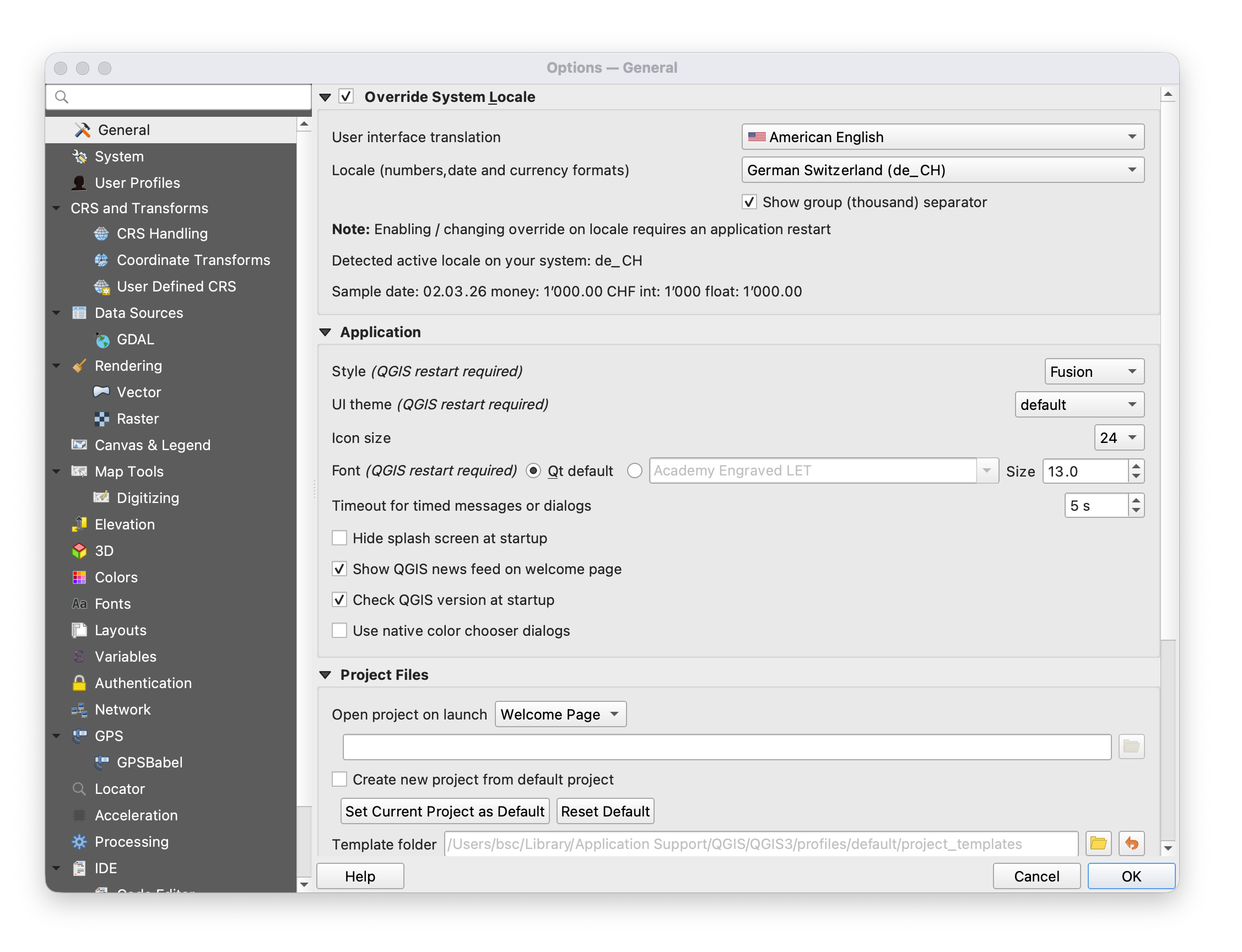
If you want to provide a QGIS-plugin in more than one language follow the steps below. The plugin will then display in the language of QGIS. Users can alter the language of QGIS (Version 3.40) in:
Settings -> Options -> General -> Override System Locale -> User interface translation
As developer, you will perform the following steps:
1. Mark text in UI and code as translatable
In Python code you mark a string by feeding it to the QGIS translator object:
my_string = QCoreApplication.translate(context: "context_of_this_string", sourceText: "the string to be translated")
For strings in the UI you need to open the according .ui file in QT Designer (or Designer, the app's name may differ), select the element to be translated, and make sure that "translatable" is checked in the entry 'text' of the category QLabel, QAbstractButton, or wherever you find this entry (depends of the UI item type).
2. Create a folder "i18n"
If it doesn't exist already, create a folder "i18n" within your project folder.
3. Translate .ui to .py files
If you have touched your .ui files then compile them into .py files with the command pyuic (pyuic5 or pyuic6).
pyuic5 -o name_of_ui_file.py name_of_ui_file.ui
4. Create a or update the .pro file listing all ui and code files that contain translatable text
Navigate into the i18n folder. There you need to create or – if it already exists – a .pro file. It is a simple text file listing all other files that contain translatable text. It also specifies the translation files with .ts ending. A .pro file may look like this:
FORMS = ui/my_dialog.ui \
ui/another_dialog.uiSOURCES = my_plugin.py \
my_module.py \
another_module.pyTRANSLATIONS = i18n/my_plugin_de.ts \
i18n/my_plugin_fr.ts \
i18n/my_plugin_it.ts \
i18n/my_plugin_en.ts
5. Generate .ts files which list all translatable text
The command pylupdate (or pylupdate5 or pylupdate6) takes the .pro file as input and creates the specified .ts files, for instance:
pylupdate5 my_list_of_translatable.pro
6. Translate text in the .ts files with Linguist
Open all .ts files with the app QT Linguist (or just Linguist). There, you make all translations. Don't forget to save the files before quitting the application.
7. Compile the .ts files to .qm files
The command lrelease (or lrelease5 or lrelease6) will create .qm files from the .ts files. These are the files that the plugin will use for translation. Leave them in the i18n folder and make sure to include them in the plugin deployment.
lrelease5 *.ts