
Install Eric IDE Windows
Eric 7 Installation:
cd %USERPROFILE% c:\Python39\python.exe -m venv eric_env %USERPROFILE%\eric_env\Scripts\python.exe -m pip install --upgrade pip %USERPROFILE%\eric_env\Scripts\python.exe -m pip install eric-ide %USERPROFILE%\eric_env\Scripts\eric7_post_install.exe
Aus https://eric-ide.python-projects.org/eric-download.html
Install PyQT5:
- PyPI -> install -> pyqt5 (eingeben)
- PyPI -> install -> PyQt5Designer (eingeben)
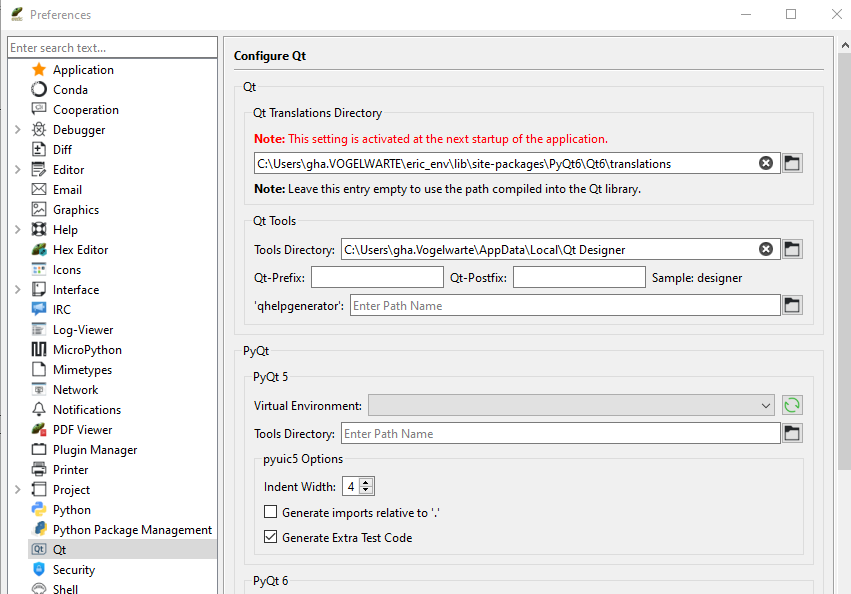
C:\Users\gha.VOGELWARTE\OneDrive - Vogelwarte\qgis\Qt Designer Setup.exe
benötigte QGIS plugins:
- Plugin Reloader
damit Plugin Reloader auf Entwicklungs-Daten zugreifem kann, muss vor dem Start von QGIS eine Systemvariable erstellt werden (C:_daten\github\qgis_plugins ist das parent-Verzeichnis des lokalen Projektes):
-
windows powershell: [Environment]::SetEnvironmentVariable("QGIS_PLUGINPATH","C:_daten\github\qgis_plugins","User")
-
Befehl damit QGIS wieder auf den Standard-Plugin-Pfad (im Benutzerprofil) verweist:
- windows powershell: [Environment]::SetEnvironmentVariable("QGIS_PLUGINPATH",$null,"User")
metadata.txt: Versionsnummer anpassen
Deploy:
- zip des Projektordners erstellen