
VPN for Mac
For using VPN on Mac you have to install the Sophos Client Authentication Agent and the FortiClient! For both you need to Device to connect with LAN cable inhouse!
I'm not sure if the FortiClient needs the Sophos Client Authentication Agent! But for security reason we need the Sophos Endpoint Protection Software:
Sophos Endpoint Protection
- Download zip-file from
smb://vogelwarte.ch/dfs/Teamwork/IT/SophosInstall.zip - Install the Sophos Installer.app
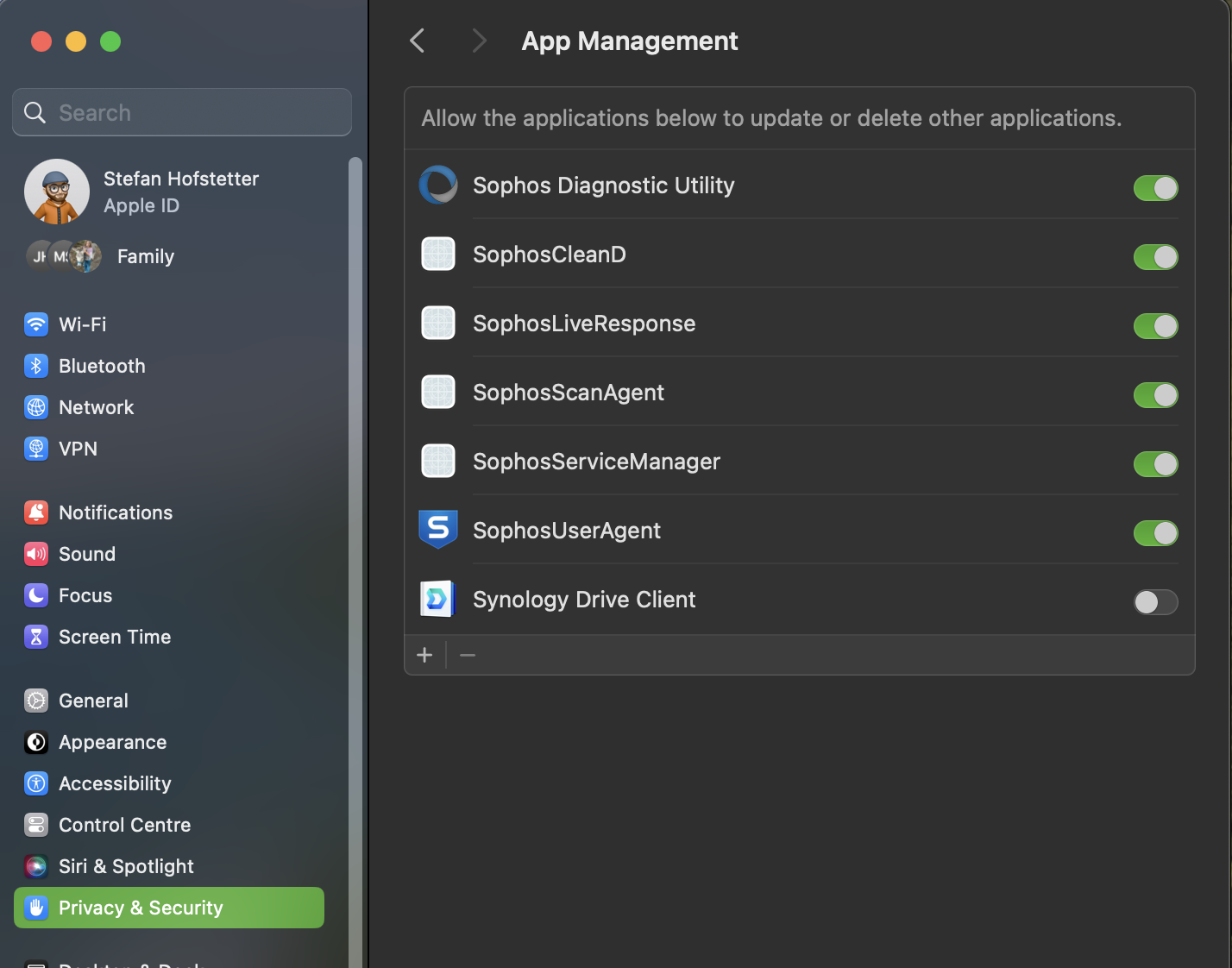
- Drag & Drop the Icon to the Settings / Privacy & Securtiy / App Management to allow the needed access to the Sophos Tools!
Sophos Client Authentication Agent
- Login with Browser to: https://192.168.1.1:8090/ with the usual Windows/Microsoft365 Login.
- Download the Sophos Client Authentcation Agent and install it!
- Important is that the Tool/Application has to moved into the MacOS /Applications folder
- and the Certificate Client Authentication Agent.der is moved to /Users/Shared/
FortiClient Installation
- Download the client software: FortiClient Onlineinstaller / Updates
- Install it - Zertifikat should be automatically installed
- Switch off all Inhouse Network LAN and also WLAN "Vogelwarte" or "VoWa_public"