Vaultwarden / Bitwarden
Instead of 1Password or Keepass, Scientific IT now offers a vault.vogelwarte.ch service.
Installation of Clients
There are different clients for Windows, Linux and MacOS and it exists also Plugins for every browser - you have to install the Bitwarden Client:
- Download and install it:
- You have to configure under Logging in on: as self-hosted. Add in the URL
https://vault.vogelwarte.ch. - Login with vogelwarte.ch E-Mailaddress and your masterpassword into your vault!
- Under settings you can manage some easier login f. e. biometrics
Add other user to shared vaults / collections
Bitwarden+PW-Management.doc (german created by the Web-Team - Thx)
Move Collections
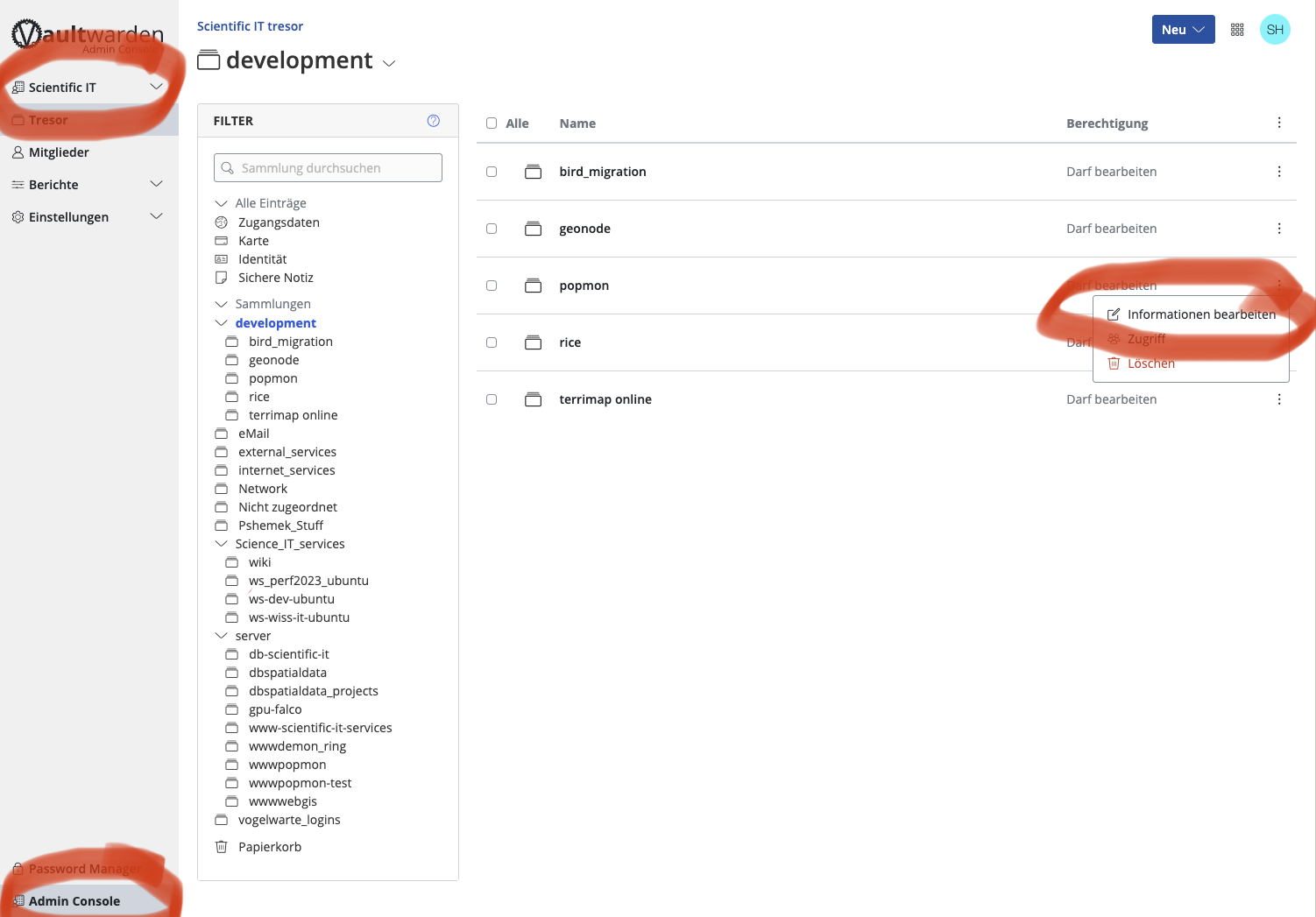
- You have to go to the administration section (Admin Console) on the web client of vaultwarden under https://vault.vogelwarte.ch
- Check if you're in the right tresor (organisation)
- And then you have to edit the information on level of the collection!
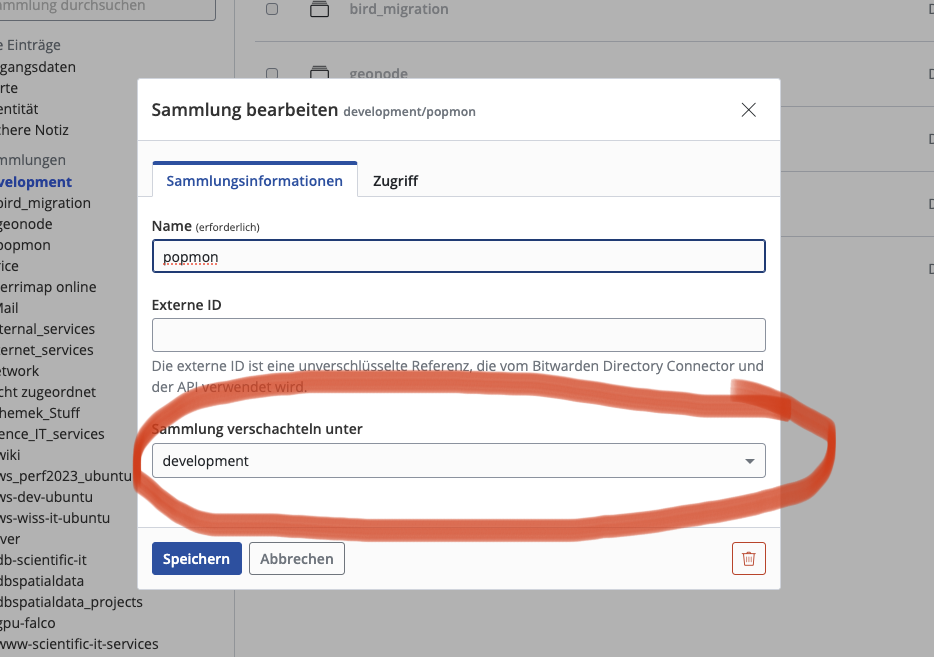
- Move the collection to another place/collection